 Hanna VoronovaCEOUnited Kingdom
Enterprise mobile app development is not just about creating an app for a large company. It is about building a secure, scalable, and reliable mobile solution that supports real business operations.
An enterprise mobile app may help employees manage tasks, approve requests, access customer data, track inventory, communicate with field teams, review reports, or connect to internal systems. In some cases, the app becomes a critical part of daily operations. If it fails, the business slows down.
That is why enterprise mobile application development requires a different approach from consumer app development. The product has to fit existing workflows, respect security requirements, support multiple user roles, integrate with business systems, and remain maintainable for years.
A simple app can be built around a narrow user journey. An enterprise app has to work inside a larger business environment.
TopDevs provides enterprise mobile app development services for companies that need secure, scalable, and business-focused mobile applications for iOS, Android, and cross-platform environments.
Enterprise mobile app development is the process of building mobile applications for internal business use, corporate workflows, employee productivity, customer operations, or large-scale digital platforms.
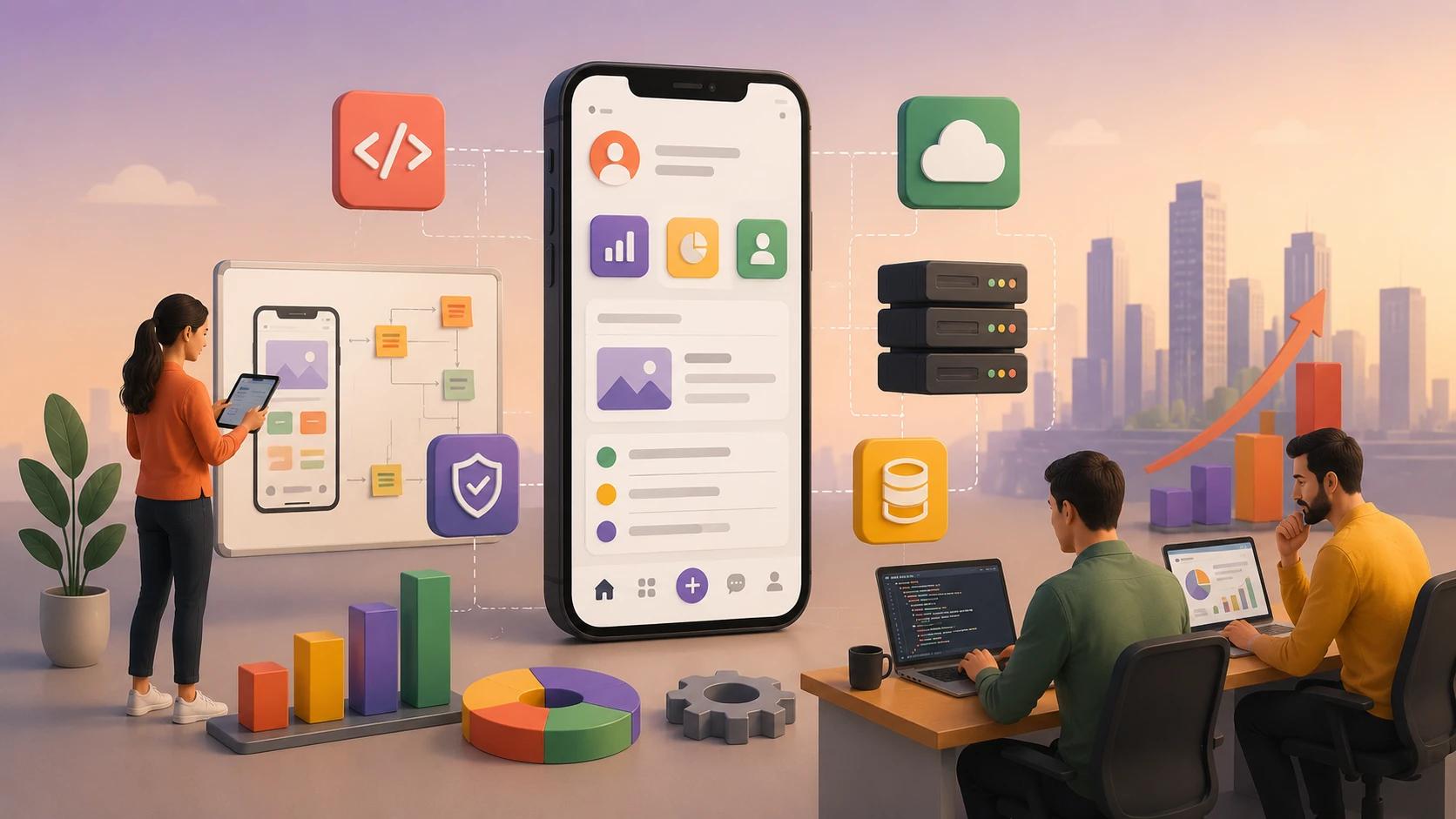
These apps are usually connected to existing company systems. They may work with CRM, ERP, accounting software, HR platforms, inventory systems, logistics tools, internal databases, analytics dashboards, or custom backend infrastructure.
The goal is not only to create a mobile interface. The goal is to make business processes faster, more accurate, and easier to manage.
For example, a field service company may need an app that helps employees receive tasks, update job status, upload reports, and sync data with the central system. A healthcare company may need a mobile app for secure staff communication or patient-related workflows. A logistics business may need mobile tools for drivers, dispatchers, warehouse teams, and managers. A financial company may need secure mobile access to internal dashboards and approval flows.
In each case, the app has to support the business process, not just look modern.
Enterprise apps are complex because they rarely work alone. They usually connect with people, systems, permissions, data flows, and internal rules that already exist inside the company.
A consumer app can often be designed around a clean user journey from scratch. An enterprise app has to respect the way the business already works. It may need to support different departments, job roles, security policies, approval chains, reporting structures, and legacy systems.
This creates several challenges. The app must be simple enough for employees to use, but strong enough to handle complex workflows behind the scenes. It must be secure, but not so restrictive that it slows daily work. It must integrate with existing systems, but also leave room for future changes.
Enterprise mobile app development is not only a design and coding task. It is a business architecture task. The development team has to understand how information moves through the company and how mobile access can improve that flow.
Enterprise mobile apps can serve different business goals. Some are built for employees. Some are built for customers. Others connect internal teams with partners, suppliers, field workers, or management.
A company may need a mobile CRM app, employee portal, field service app, inventory management app, reporting dashboard, document approval tool, logistics app, communication platform, HR app, or executive analytics app.
The difference between these products is not only the feature set. Each app has its own logic.
A field service app needs reliable task management, offline access, location data, and fast status updates. A mobile CRM app needs customer history, notes, permissions, and integration with sales workflows. An inventory app needs accurate data synchronization and barcode or QR functionality. A reporting app needs clean dashboards and secure access to business metrics.
This is why custom enterprise mobile apps are usually stronger than generic tools. They can be designed around the company’s actual operations.
Before development starts, the team needs to understand the workflow the app will support.
This is one of the most important steps in enterprise mobile application development. Without workflow mapping, the app may look good but fail to solve the real operational problem.
The development team should understand who will use the app, what actions they perform, what systems they rely on, what data they need, what approvals are required, and where current processes create delays.
For example, if a manager approves expenses, the app should not only show a button called “Approve.” It should show the right context, user role, amount, supporting documents, approval history, and possible next steps. If a warehouse employee updates inventory, the app should reduce manual input and prevent mistakes. If a field worker completes a task, the app should capture the right data and sync it properly.
Good workflow mapping helps turn business logic into product logic.
Secure mobile app development is critical for enterprise products. These apps may handle customer data, employee information, financial records, business reports, operational details, and internal documents.
Security should be planned from the beginning. Adding it later can be expensive and risky.
Enterprise apps often need secure authentication, role-based access, data encryption, session management, audit logs, secure APIs, device policies, and controlled access to sensitive information.
The level of security depends on the industry and use case. A logistics app may need secure access and location protection. A fintech app may require stricter financial data controls. A healthcare product may need careful handling of sensitive personal information. An internal reporting app may need access restrictions because business data can be confidential.
The mobile app itself is only one part of security. The backend, API layer, infrastructure, admin panel, and integrations must also be protected. A strong enterprise app development company should evaluate the full system, not just the mobile interface.
Enterprise apps usually serve different types of users. An employee, manager, administrator, partner, customer, and executive may all need access to the same app, but not to the same data or actions.
This is where role-based access becomes important.
A field worker may update task status but not view financial reports. A manager may approve requests but not change system settings. An admin may manage users and permissions. An executive may only need dashboards and analytics.
If permissions are not designed properly, the app can become either unsafe or unusable. Too much access creates security risk. Too little access makes the app frustrating and inefficient.
Role-based access should be connected to the business structure. The development team needs to understand company roles, approval flows, department responsibilities, and data sensitivity before designing the permission model.
For enterprise mobile apps, access control is not a small technical detail. It is one of the foundations of the product.
Most enterprise mobile apps need to connect with systems the company already uses. This can include CRM, ERP, HR software, accounting tools, logistics platforms, data warehouses, payment systems, reporting tools, or custom internal databases.
Integration is often one of the most complex parts of enterprise mobile app development.
The mobile app may need to read data from several systems, update records, trigger workflows, send notifications, or display real-time information. If the integration is weak, users may see outdated data, duplicate information, or inconsistent results.
The development team should review available APIs, data formats, authentication rules, sync logic, and system limitations before building the app. Older systems may require custom connectors or middleware. Some integrations may look simple at first but become difficult because of permissions, data quality, or business rules.
This is why enterprise development should not start only with screen design. The system architecture has to be understood early.
TopDevs provides mobile app development services for companies that need mobile apps connected to complex backend systems, business tools, and enterprise workflows.
Many enterprise apps are used outside perfect office conditions. Field teams, drivers, warehouse employees, technicians, sales representatives, and healthcare workers may need to use the app when the internet connection is weak or unavailable.
In these cases, offline access can be essential.
Offline functionality allows users to continue working without a stable connection. The app can store data locally and sync it later when the connection returns. This sounds simple, but it requires careful planning.
The team has to decide what data can be available offline, what actions can be completed without connection, how conflicts will be handled, and how to prevent data loss. If two users update the same record from different locations, the system needs clear logic for synchronization.
Offline mode can increase development cost, but for many enterprise apps, it is worth it. An app that only works in perfect conditions may fail in the real business environment.
Enterprise UX is different from consumer UX. The goal is not only to make the app attractive. The goal is to help users complete work faster and with fewer mistakes.
Employees often use enterprise apps under time pressure. They may be in a warehouse, on the road, in a meeting, with a customer, or between tasks. The app should make their job easier, not force them to fight with complicated screens.
A good enterprise mobile app should reduce manual input, show relevant information at the right moment, avoid unnecessary steps, and make important actions clear.
For example, an approval app should not make managers search for missing context. A field service app should not force technicians to type long reports on a small screen. A reporting app should not overload executives with irrelevant charts.
Good UX in enterprise products often means simplicity, speed, and accuracy. Every screen should support a real business task.
Both native and cross-platform mobile development can work for enterprise apps. The right choice depends on product requirements.
Native development may be better when the app needs advanced device features, high performance, strict platform-specific behavior, complex offline logic, or deep integration with iOS and Android capabilities.
Cross-platform mobile app development can be a strong option when the company needs to support both platforms with similar business logic. Many enterprise apps, such as dashboards, field tools, internal portals, approval apps, and reporting systems, can work well with a shared codebase.
React Native app development services and Flutter app development services are often used when the company wants faster delivery across iOS and Android while keeping development and maintenance more efficient.
The decision should be made after discovery. The team should evaluate security, performance, offline requirements, integrations, user roles, maintenance plans, and internal technical standards.
For many enterprise apps, the most important factor is not the framework itself. It is whether the development team can build clean architecture, stable integrations, and a product that remains maintainable over time.
The backend is often the most important part of an enterprise mobile app.
The mobile interface may be simple, but the backend handles data, business rules, integrations, permissions, notifications, reporting, and system communication. If the backend is weak, the mobile app will eventually become unstable.
A scalable enterprise backend should support future growth. More users, more departments, more data, and more integrations should not break the product.
This does not mean the company has to overbuild from the first release. It means the architecture should be flexible enough to evolve. The team should avoid quick fixes that solve today’s task but create technical debt for tomorrow.
Backend planning should include API design, database structure, authentication, logging, monitoring, error handling, data synchronization, and infrastructure decisions.
For enterprise apps, technical debt can become expensive because the app may be used by many employees or connected to important business operations. Stability matters.
Enterprise mobile app development cost depends on complexity, number of platforms, backend architecture, integrations, security requirements, user roles, design scope, QA, and long-term support.
A simple internal mobile tool may have a moderate budget. A complex enterprise app with role-based access, offline mode, ERP integration, reporting dashboards, and custom backend logic will cost much more.
The biggest cost drivers are usually integrations and business logic. A screen may look simple, but the workflow behind it can be complex. Approval chains, data synchronization, permissions, audit logs, and legacy system connections all add development effort.
Cost should not be evaluated only by the first release. Enterprise apps require maintenance, updates, security reviews, feature improvements, and system changes over time.
A realistic budget should include both development and post-launch support. Otherwise, the company may launch the app but struggle to maintain it properly.
QA is especially important in enterprise mobile development because bugs can affect real business operations.
A consumer app bug may cause user frustration. An enterprise app bug may delay shipments, block approvals, create reporting errors, expose sensitive data, or interrupt employee workflows.
Testing should cover user roles, permissions, integrations, offline behavior, data synchronization, performance, security, and device compatibility.
Enterprise apps often need to work across different devices, operating system versions, screen sizes, and network conditions. If field teams use specific company devices, those devices should be part of the testing process.
QA should not happen only at the end. It should be part of the development cycle. Regular testing helps catch problems early before they become expensive.
Enterprise apps need long-term support because business systems change. New departments may start using the app. Internal processes may evolve. APIs may be updated. Security requirements may change. Operating systems will release new versions.
A mobile app that is not maintained will eventually become unstable or outdated.
Support may include bug fixing, performance optimization, security updates, feature development, integration changes, analytics review, infrastructure monitoring, and compatibility updates for iOS and Android.
This is why enterprise companies often benefit from a dedicated mobile development team. A stable team keeps product knowledge inside the project and can support continuous improvements without starting from zero each time.
Long-term support should be discussed before development begins. The company should know who will maintain the app, how updates will be handled, and how future roadmap planning will work.
Choosing an enterprise app development partner is different from hiring a team for a simple mobile app. The company should be able to understand business systems, security requirements, integrations, workflows, and long-term scalability.
A strong partner will ask about internal processes before discussing screens. They will want to understand users, roles, data flows, systems, approval logic, reporting needs, and future plans.
The partner should also be honest about complexity. If the project requires discovery, architecture planning, or integration research, they should say so. If a feature is risky or expensive, they should explain why.
Experience with enterprise mobile application development matters because these projects involve more than frontend and backend coding. They require product thinking, technical planning, project management, QA discipline, security awareness, and long-term support.
TopDevs provides mobile app development services USA businesses can use to build secure enterprise apps, internal mobile tools, scalable platforms, and custom business applications.
The best enterprise mobile apps are not built around random feature lists. They are built around real workflows.
A scalable business app should make daily operations faster, reduce manual work, improve data accuracy, support employees, and connect mobile users with the systems they already use.
That requires more than mobile development skills. It requires understanding the company’s operations, users, security needs, integrations, and future growth plans.
For some companies, the right solution is a native app. For others, cross-platform development is more efficient. Some products need offline access. Others need advanced permissions, reporting, or deep system integration.
The right approach depends on the business.
If your company needs enterprise mobile application development for internal operations, customer workflows, field teams, reporting, or scalable business systems, TopDevs can help plan, design, build, and support the product from discovery to launch and beyond.
Your idea - our execution. Let's create meaningful solutions together!
Contact ustags

Your Stable Transition to Sustainable Enterprise
September 7, 2023
IT Outsourcing Services Explained: Benefits, Models, and When to Outsource IT Operations
January 19, 2026
The Importance of Functional and Non-Functional Requirements for a Project
June 22, 2021